
Freestyle Logging
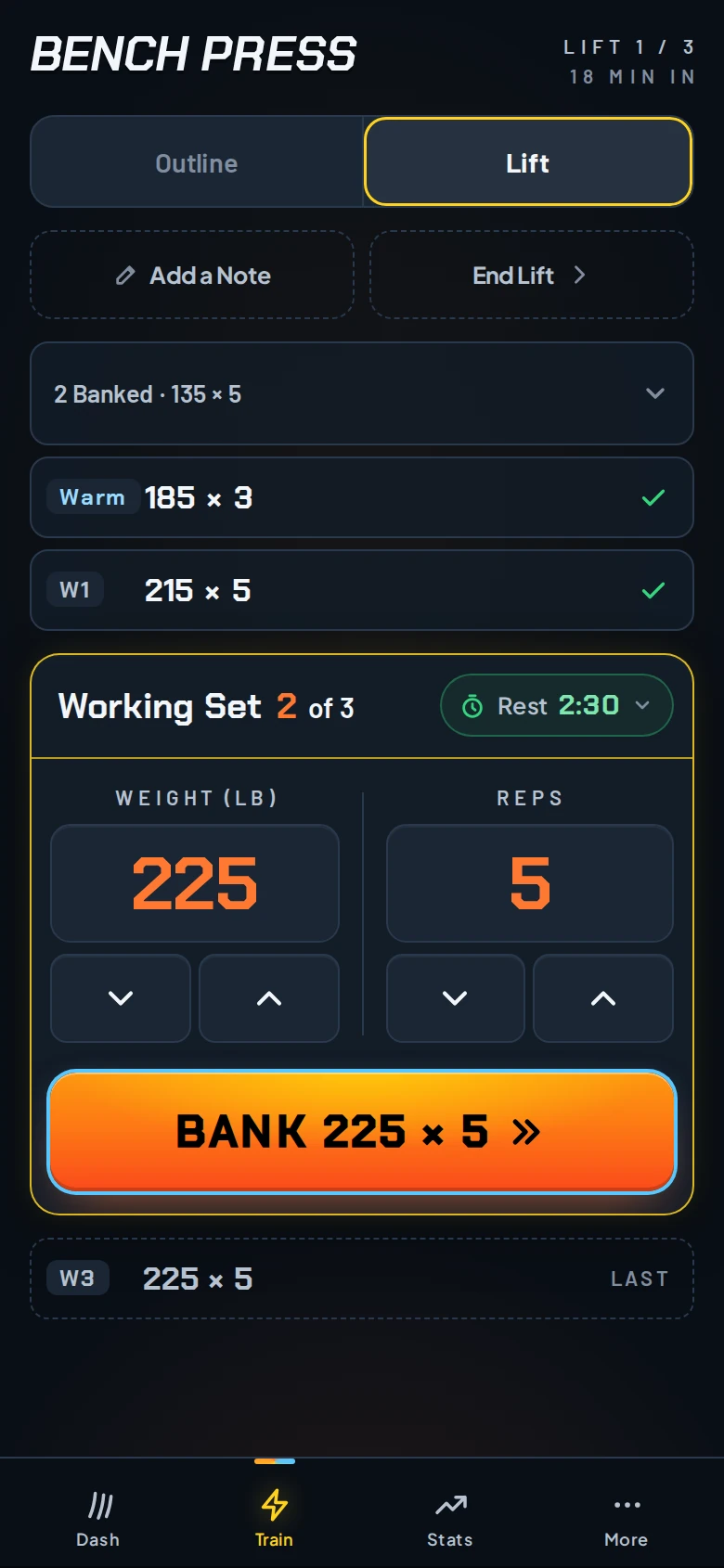
Log sets, reps, load and rest, with optional reps in reserve (RIR). Group lifts into supersets and use plate math to load the bar.
Temper is coming to Android. Get Launch Updates
Temper is a workout log for Android that tracks your sessions set by set. Log your reps, load and rest, and see what you lifted last time.
Features
Log sets, reps, load and rest, with optional reps in reserve (RIR). Group lifts into supersets and use plate math to load the bar.
Temper tracks records by rep count and charts your Estimated Max from working sets.
Finish a workout session to see totals and new records, then share a recap card.
Spark suggests training changes on your phone. Accept or decline each suggestion. Use Undo to reverse an accepted change.
Built by Temper gives you a training plan to follow in the app.
Run timed conditioning blocks, including Deck of Cards, and log them alongside your lifts.
Sign in with Google or an email code for a free, automatic online backup of your most recent 30 days of training.
Temper Sync, Temper’s AI service, is coming later.
Free, no account needed. See all tools
Enter a target weight and see which plates go on each side of the bar.
Estimate your one-rep max from any set of 1 to 10 reps.
Shuffle a deck in your browser, draw cards and tally your reps as you go.
Time your rest between sets, with quick presets from 1:00 to 3:00.
Know when to add weight with a simple double-progression rule.
Add up load times reps across your sets.
The Training Hub
Open Settings in FitNotes for Android and use Spreadsheet Export to save your workouts as a CSV.
Open Profile and Settings in Hevy to export your workouts as a CSV file.
Sign in on the JEFIT website and open Data Controls in Settings to export your training data.
Email sign-ups aren’t open yet.